

Connecting a Supplier
A supplier connection is a live link between your Malovex account and one of your suppliers’ product feeds. Once it’s connected, Malovex pulls that supplier’s products, prices and stock on a schedule and folds them into your catalog.
Malovex sets up each connection for you. You browse the supplier catalog, request the supplier you want, and provide any credentials it needs; our team provisions the connection and your feed starts syncing.
Browse the supplier catalog
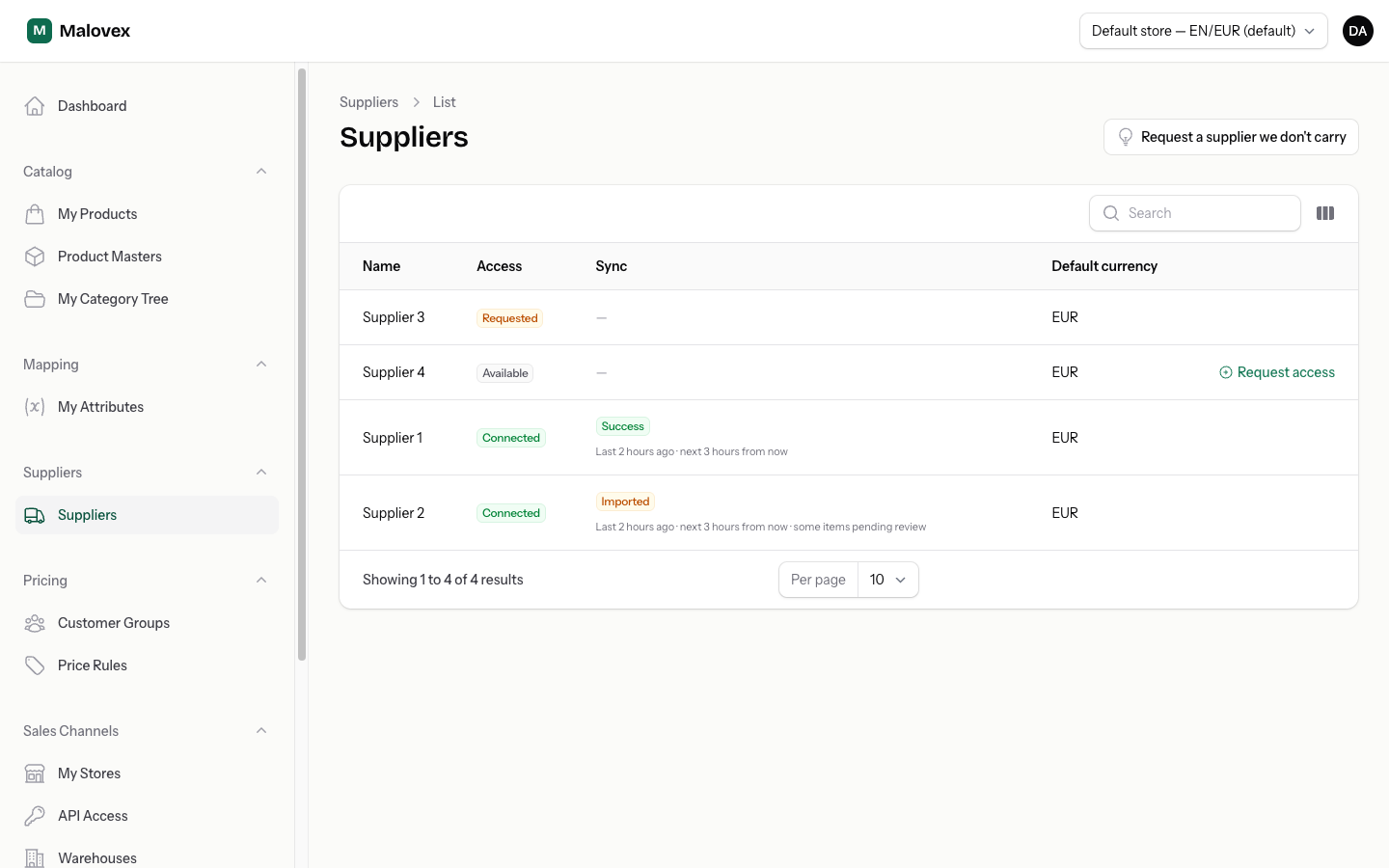
Section titled “Browse the supplier catalog”Open Suppliers in the main navigation. Every supplier Malovex carries is listed here, along with your relationship to each one:
- Available — you can request access.
- Requested — you’ve asked for access and the connection is being set up.
- Connected — the feed is live and syncing into your catalog.
Request access to a supplier
Section titled “Request access to a supplier”-
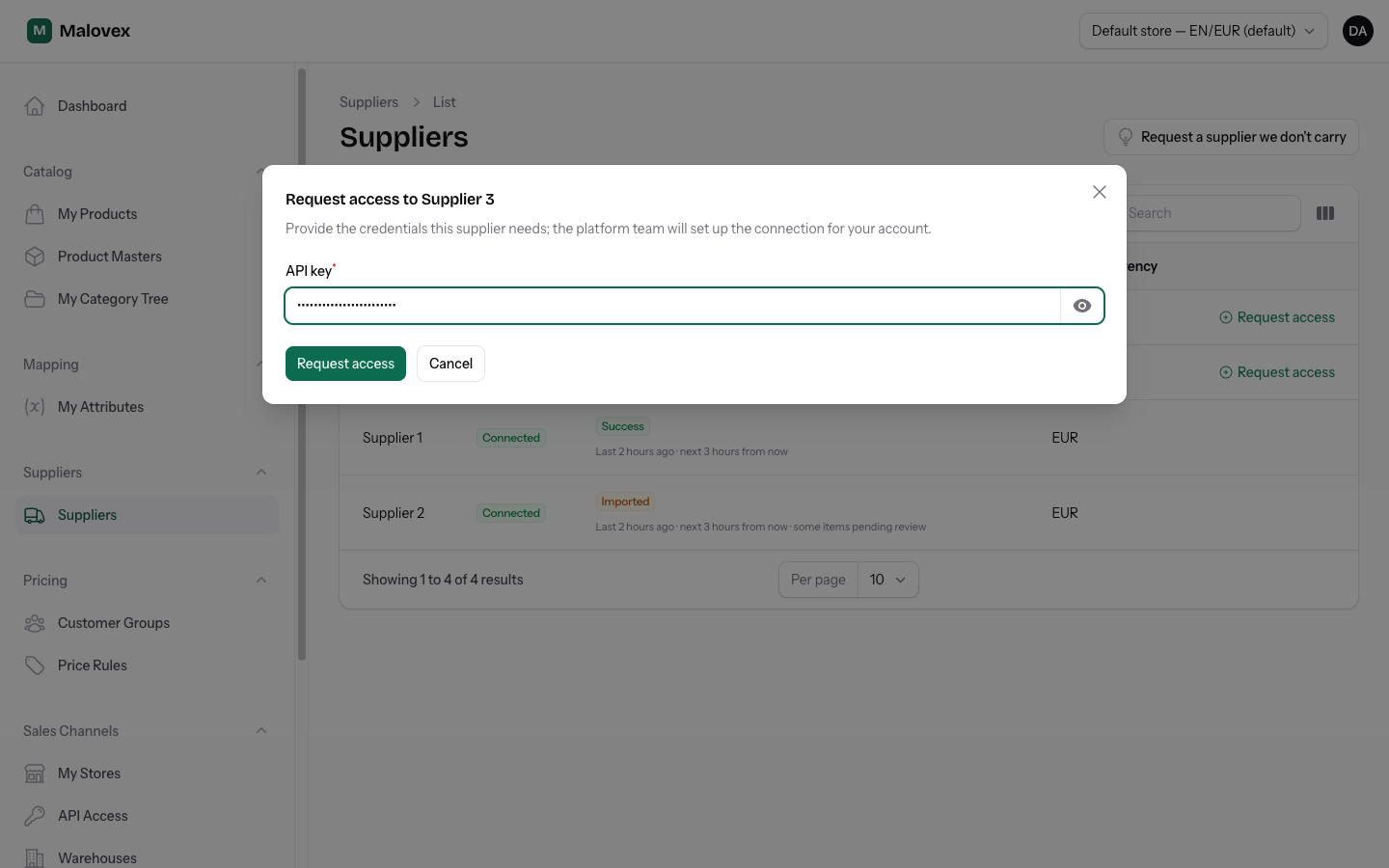
Find the supplier in the catalog and select Request access.
-
If the supplier needs credentials (for example an API token or a feed URL), a form appears asking for them. Fill in each field. Password-type fields are hidden as you type and can be revealed with the eye icon.
-
If the supplier doesn’t need any credentials, you’ll get a short confirmation instead of a form.
-
Submit the request. The supplier’s badge changes to Requested, and our team is notified to finish setting up the connection.
Feed limits Starter and up
Section titled “Feed limits ”Each connected supplier feed counts against your plan’s supplier-feed limit:
- Starter Starter — up to 3 feeds
- Pro Pro — up to 15 feeds
- Enterprise Enterprise — up to 100 feeds
Pending requests count toward the limit too, so you can’t queue up more feeds than your plan allows. If you reach the limit, Malovex tells you when you try to request another supplier. Upgrade your plan or contact us to add more feeds.
What happens after you connect
Section titled “What happens after you connect”Once the Malovex team provisions your connection, the first sync runs and your catalog begins to fill in:
- Products are matched and imported. Malovex matches each incoming product against products it already knows by EAN and MPN, so the same physical product from two suppliers becomes one entry in your catalog with two offers behind it.
- Content and images arrive automatically. As products come in, Malovex enriches them with titles, descriptions, specifications and images — you don’t import these by hand.
- Copies of images and documents are stored. Malovex keeps its own copies of product images and documents (such as datasheets and manuals) so your store exports don’t depend on your supplier’s servers staying up.
To keep an eye on your feeds after they’re live, see Sync & Feed Health.