

SKU Patterns
Malovex generates a SKU for every product it exports. A SKU pattern is a small template that decides what those SKUs look like, so they match the identifier format your storefront expects.
You set a default pattern for your whole account under Settings → General Settings, and can override it per store under Sales Channels → My Stores.
Tokens
Section titled “Tokens”A pattern is any text you like with tokens in curly braces. Each token is replaced with a value from the product when the SKU is generated:
| Token | Replaced with |
|---|---|
{supplier_sku} |
The supplier’s own SKU for the product. |
{ean} |
The product’s primary EAN. |
{product_id} |
Malovex’s internal product ID. |
{manufacturer} |
The manufacturer name. |
{seq} |
A running number, zero-padded to 5 digits (e.g. 00001). |
{seq:N} |
The running number padded to a custom width — {seq:6} gives 000001. |
{year} |
The 4-digit year the SKU was assigned (e.g. 2026). |
{year2} |
The 2-digit year (e.g. 26). |
{month} |
The month, zero-padded (01–12). |
Text between tokens is kept as-is, so you can build patterns like:
{supplier_sku}→ABC-123MX-{seq:6}→MX-000042{manufacturer}-{ean}→Manufacturer1-4000000000001{year2}{month}-{seq}→2607-00042
The default pattern, used when neither the store nor your account defines one, is {supplier_sku}.
Patterns must be unique
Section titled “Patterns must be unique”A pattern must include at least one token that varies per product — {seq}, {ean}, {product_id}, or {supplier_sku}. Without one, every product would collapse to the same SKU.
If you try to save a pattern like MX- (no varying token) or PROD (plain text), Malovex rejects it with:
Pattern must include {seq}, {ean}, {product_id} or {supplier_sku} so each product gets a unique SKU.
A blank pattern is allowed — it inherits the account default, which is itself unique.
Account default and per-store override
Section titled “Account default and per-store override”There are two places to set a pattern:
- Account default — set under Settings → General Settings. It applies to every store that doesn’t have its own pattern.
- Per-store override — set on an individual store under Sales Channels → My Stores. A store’s pattern takes precedence over the account default. Leave it blank to inherit the account default.
So the resolution order for any store is: store pattern → account default → {supplier_sku}.
Changing a pattern only affects new products
Section titled “Changing a pattern only affects new products”This is the most important rule to understand.
This is deliberate: your storefront, order history, and any connected platform rely on SKUs staying stable. A pattern change that silently rewrote thousands of live SKUs would break those integrations.
Because of this stickiness:
- New products get a SKU built from the pattern that is current when they’re first exported.
- Date tokens (
{year},{year2},{month}) are frozen to the date the SKU was assigned — they don’t drift when catalogs rebuild across a month or year boundary. - The running number
{seq}is a stable per-account counter, so each new product gets the next number.
When you save a new pattern, Malovex confirms this behavior:
New products will use the updated SKU pattern; existing SKUs keep their current value.
Setting your patterns
Section titled “Setting your patterns”-
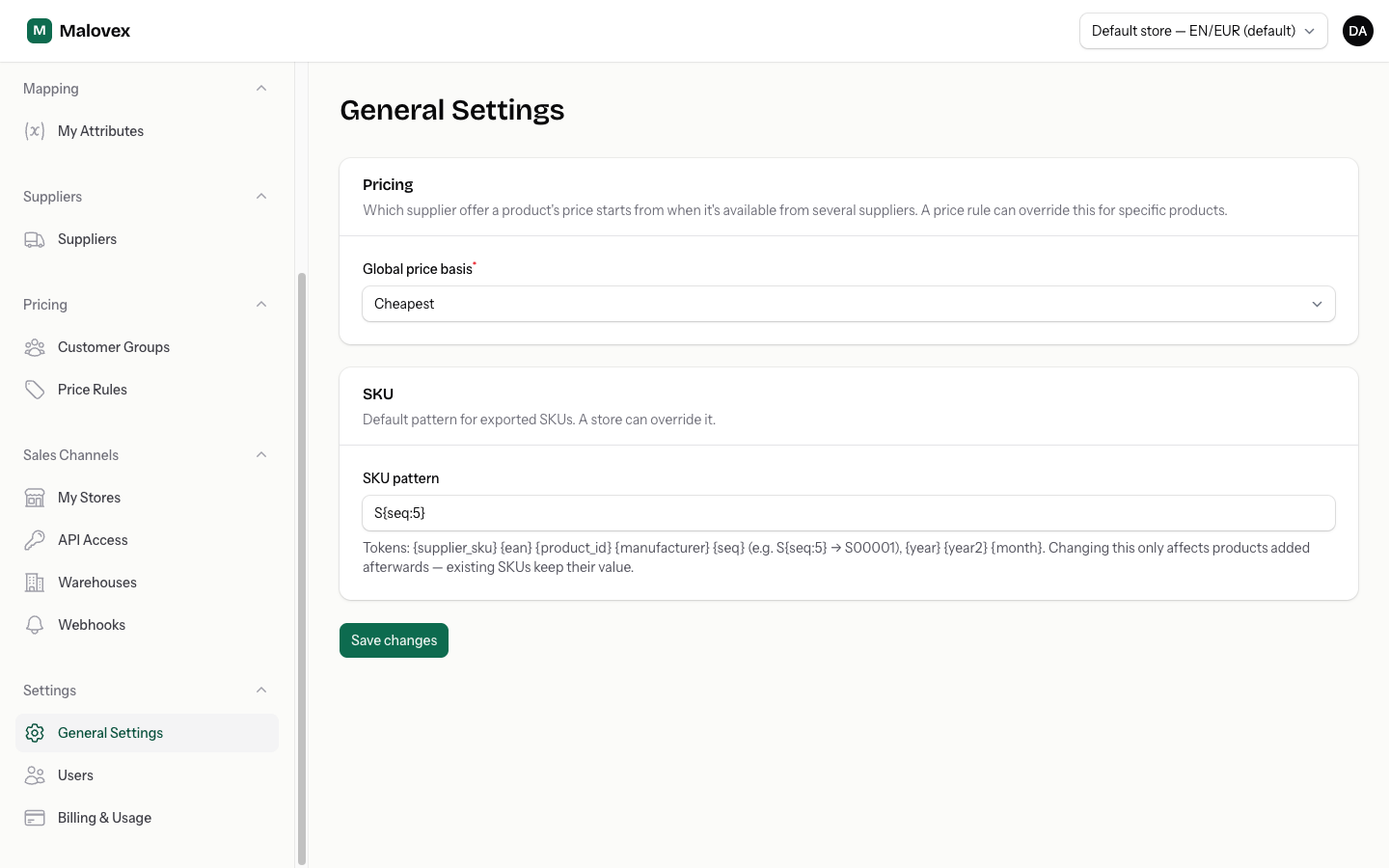
Set your account default under Settings → General Settings, in the SKU section. This is the pattern most stores will use.
-
If a particular store needs a different format, open it under Sales Channels → My Stores and set its SKU pattern field. Leave it blank to inherit the account default.
-
Save. Malovex assigns SKUs to any products that don’t have one yet, using the resolved pattern. Existing SKUs are left untouched.