

API Access & Tokens
Your storefront reads your finished catalog through the Malovex API. To authenticate those requests, you create an API token in the panel and give it to your storefront or connector.
You manage tokens under Sales Channels → API Access.
How tokens work
Section titled “How tokens work”- Each token belongs to your account. All requests made with it are scoped to your data only.
- A token is shown in full once, at creation. Malovex stores only a hashed copy, so it can never be shown again — copy it somewhere safe immediately.
- You can create as many tokens as you need. There is no per-plan limit on tokens.
- Give each integration its own token so you can revoke one without disrupting the others.
Access levels
Section titled “Access levels”When you create a token you choose its access level:
| Access | Can do | Use for |
|---|---|---|
| Connector | Read only — pull stores, products, prices, and changes. | Storefront and connector integrations that only consume your catalog. This is the default. |
| Full | Read and write — everything a connector token can, plus creating and updating stores, categories, attributes, price rules, and more. | Automation that manages your Malovex configuration through the API. |
Most storefront integrations only ever read, so Connector is the right choice unless you specifically need to write data back.
Creating a token
Section titled “Creating a token”-
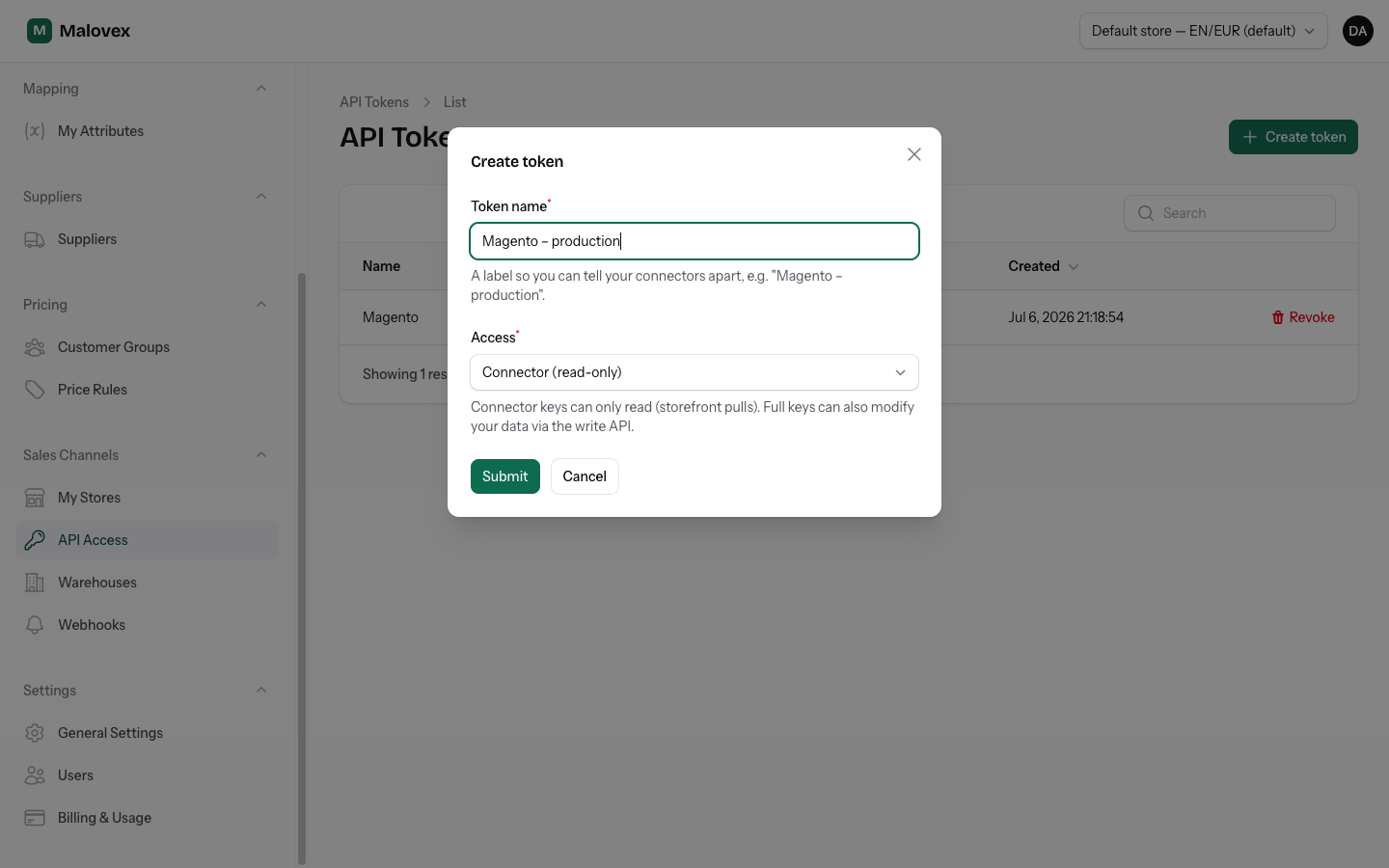
Go to Sales Channels → API Access and choose Create token.
-
Enter a token name — a label so you can tell your integrations apart, e.g. “Magento – production”.
-
Choose the access level (Connector or Full).
-
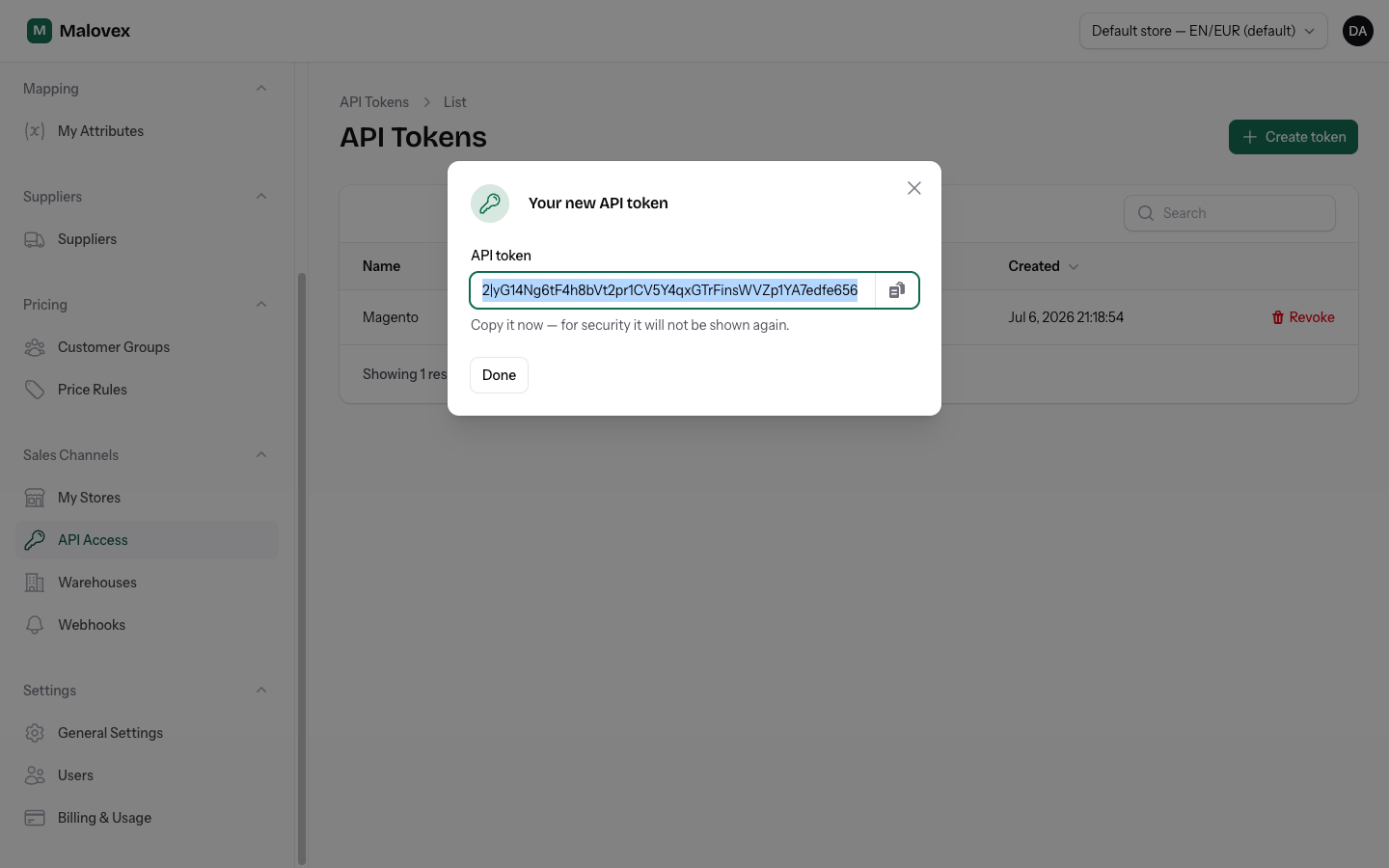
Create the token. A dialog shows the full token value with a copy button.
-
Copy it now — for security it will not be shown again. Paste it into your storefront’s Malovex configuration.
The token list shows each token’s name, access level, and when it was last used, so you can spot ones that are no longer active.
Using a token
Section titled “Using a token”Send the token as a Bearer token in the Authorization header on every request:
curl https://api.malovex.com/v1/products \ -H "Authorization: Bearer mlx_xxx"Malovex works out which account the request belongs to from the token itself — you never pass an account ID in the URL.
For the full API details, see the API Reference.
Revoking a token
Section titled “Revoking a token”To revoke a token, delete it from the API Access list. The revocation is immediate — any request made with that token afterwards is rejected. Issue a fresh token and update the affected integration.