

Webhooks
Webhooks push a notification to your storefront the moment your catalog changes, so you don’t have to poll for updates. When a product’s price or content changes, or a product is removed, Malovex sends an HTTP request to a URL you register.
You manage webhooks under Sales Channels → Webhooks.
What you can subscribe to
Section titled “What you can subscribe to”A webhook endpoint subscribes to one or more catalog change types:
| Event | Fires when |
|---|---|
| Price changes | A product’s computed price changes for one of your customer groups. |
| Content changes | A product’s title, description, attributes, or images change. |
| Removals | A product is removed from a store’s exported catalog. |
You can scope an endpoint to a single store, or leave it set to All stores to receive changes for every store.
Registering an endpoint
Section titled “Registering an endpoint”-
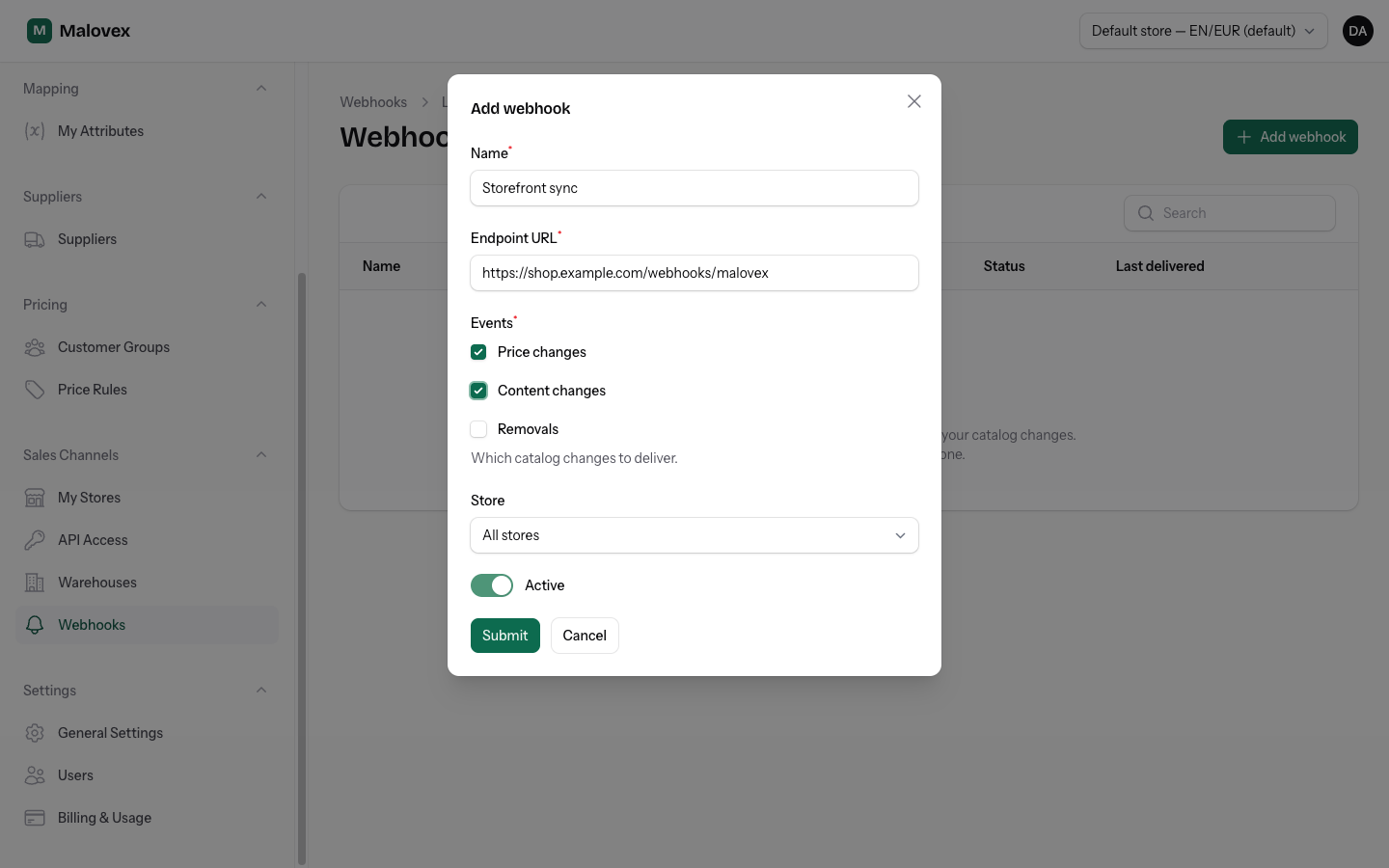
Go to Sales Channels → Webhooks and choose Create.
-
Give the endpoint a name and the endpoint URL on your side that will receive the notifications. The URL must be a public HTTPS address — internal, private, or local addresses are rejected, both when you save the endpoint and again each time a notification is sent.
-
Tick the catalog changes you want delivered — price changes, content changes, removals.
-
Optionally choose a store to scope the endpoint to, or leave it as All stores.
-
Save. Malovex shows a signing secret (beginning
whsec_) once. Copy it now — it will not be shown again. You’ll use it to verify that incoming requests really came from Malovex.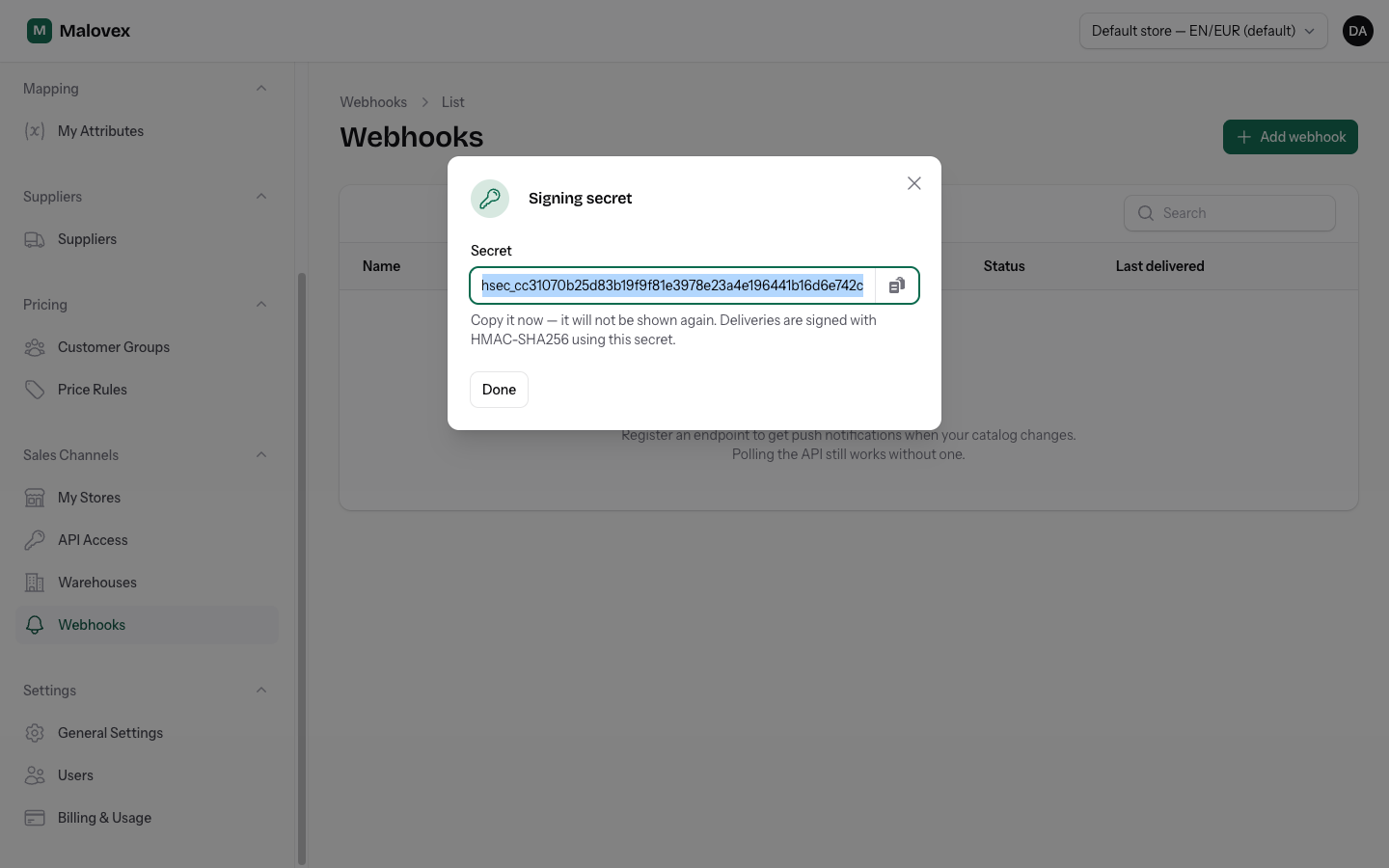
What Malovex sends
Section titled “What Malovex sends”Each notification is an HTTP POST with a JSON body describing what changed, plus signature headers so you can verify it. The full payload shape, headers, and verification steps are documented in Webhook Payloads.
In short, every request includes:
- The event type (
price,content, orremoved). - The store it relates to and the affected product IDs.
- An
X-Malovex-Signatureheader you check against your signing secret.
Delivery, retries, and pausing
Section titled “Delivery, retries, and pausing”Malovex tracks the health of each endpoint:
- Every delivery attempt and its result is recorded — you can review recent deliveries on the endpoint’s page.
- If an endpoint fails repeatedly, the account owners are notified so you can investigate.
- If failures keep piling up, Malovex automatically pauses the endpoint for a cooldown period to avoid hammering a broken URL. Once the cooldown passes, deliveries resume on the next change. The list view shows when a paused endpoint will retry.
- A successful delivery clears the failure count immediately.
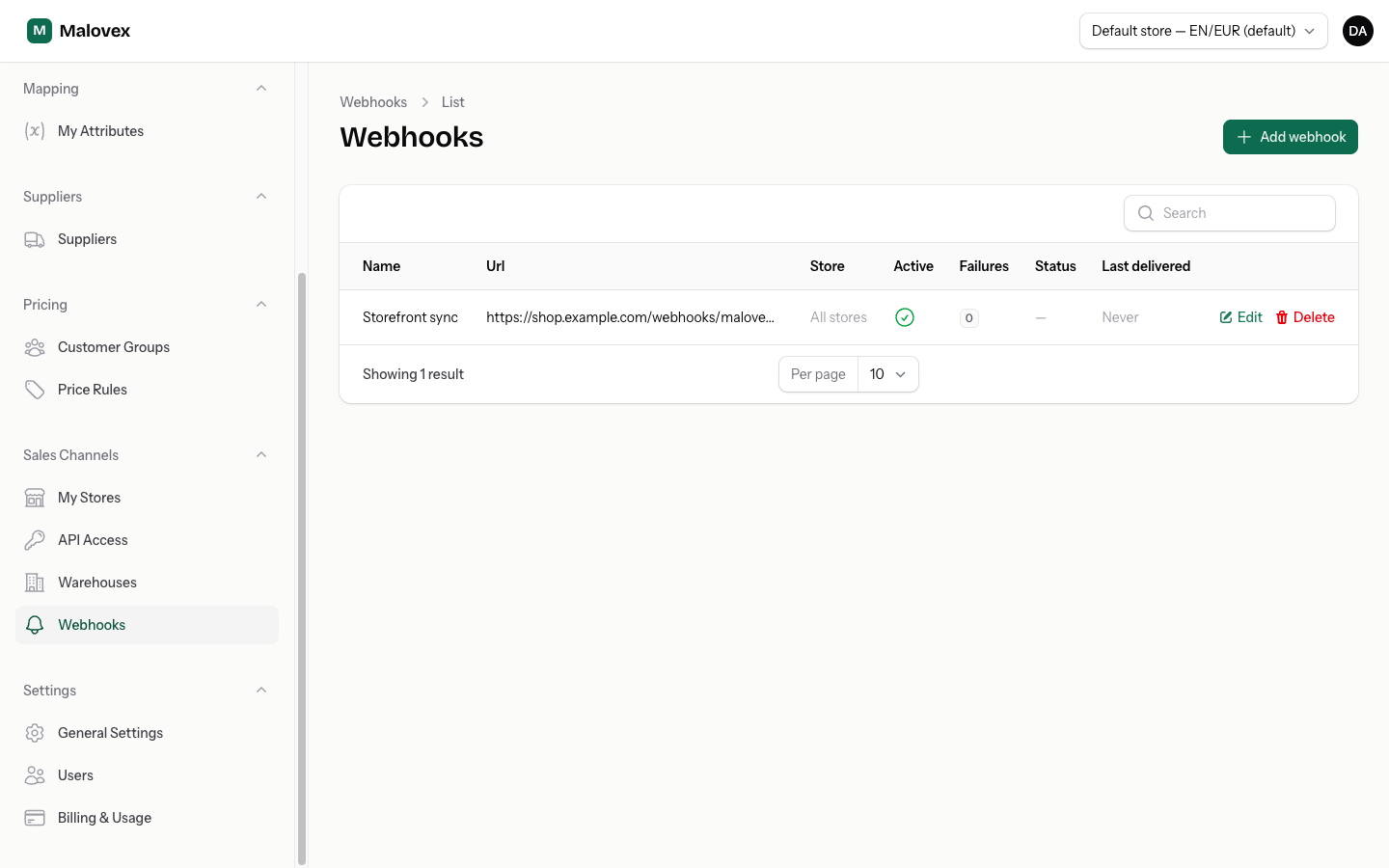
To take an endpoint offline yourself, toggle it inactive or delete it.
How many endpoints you get
Section titled “How many endpoints you get”Your plan sets how many webhook endpoints you can register.
| Plan | Included endpoints |
|---|---|
| Starter | 1 |
| Pro | 10 |
| Enterprise | 100 |
When you reach your limit, the Create button is unavailable until you upgrade. See Plans & Add-ons.